The following demo is provided as a sample of the product's capabilities
for demonstration purposes only.
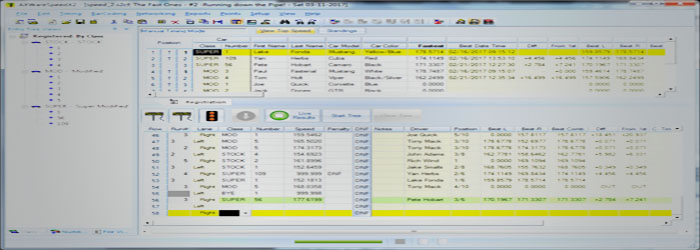
The demo is fully functional and allows you to interface to a timer or use a Simulation mode that can be used to generate triggers so that you can view how the data is processed in the software.
The Demo versions install a temporary License File that activates
AXWareET.
For NEW
installations ONLY
The Demo and official Releases do not function together on the same machine (by design). Warning: Do not install this on existing installations. For more information
refer to our
Licensing Agreement
.
The demo will remain
active for a 14 day demo period, which starts the first time the
software is launched.
Demo Instructions
Download the demo. Unzip the contents into a temporary directory (ex: C:\tmp).
Run the Setup.exe found in the "\disk1" directory in the image (or in c:\tmp\disk1 if you unzipped image), then follow the instruct on the install screens.
Start the program by selecting the program from the Windows Start Menu tab (AXWare Systems\AXWareET(DEMO)).
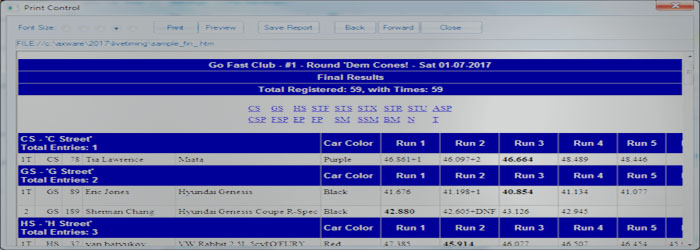
A sample set of data is installed with the demo automatically for demo purposes.
To access help, use the F1 key to display the context sensitive help from anywhere within the program.
Please refer to the Help Documentation for additional information.
If you have any questions, please contact AXWare Systems.
Note: Demo versions must be un-installed when installing
Licensed Versions of the product. They cannot not co-exist on the same machine by design.
 AXWare Systems - Timing Is EVERYTHING!
 AXWare Systems - Competition Timing Systems!
 AXWare Systems - Timing Is EVERYTHING!
 AXWare Systems - Competition Timing Systems!
 AXWare Systems - Timing Is EVERYTHING!
 AXWare Systems - Competition Timing Systems!
 AXWare Systems - Timing Is EVERYTHING!