The following demos are provided as a sample of the product's capabilities
for demonstration purposes only.
They are fully functional and allow you to interface to the timer of your
choice.
Each demo also contains a Simulation mode that can be used to manually
activate triggers is desired, allowing demonstrations without the need for
the timing hardware.
The Demo versions install a temporary License File that activates
all the (PRO) modules that are available with AXWareTS. This
includes: Membership, Network, Bar Code, Live Timing and etc. This provides a large number of Menu and Setup options.
For NEW
installations ONLY
The Demo and official Releases do not function together on the same machine (by design). Warning: Do not install this on existing installations.
The demo will remain
active for a 14 day demo period, which starts the first time the
software is launched.
Demo Instructions
Download the appropriate demo and license file. Unzip the contents into
a temporary directory (ex: C:\downloads\axware).
Run the Setup.exe found in the "\disk1" directory,
following the instructions on the install screens.
Start the program by selecting the program from the Windows Start Menu
tab (AXWare Systems\AXWare_TS) or (AXWare Systems (NCCC)\AXWare_TS)
respectively. A dialog will pop up that will allow you to select a
Timer to use with the demo.
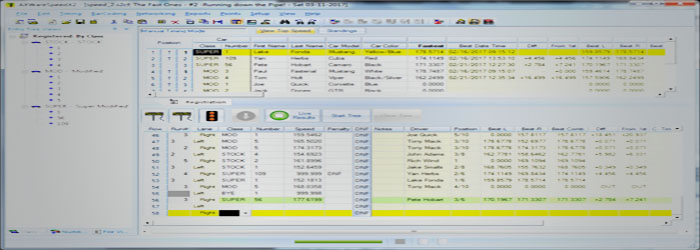
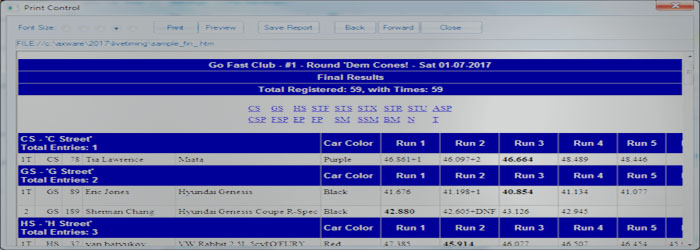
The demo contains sample data that is installed in "c:\axware\sample\scca"
for the SCCA Style demo, or "c:\axware\sample\nccc" for the NCCC
demo. Use
the File\Open Event menu command in the program to to open the event
file.
To access help, use the F1 key to display the context sensitive help
from anywhere within the program.
Please refer to the Help Documentation for additional information.
 AXWare Systems - Timing Is EVERYTHING!
 AXWare Systems - Competition Timing Systems!
 AXWare Systems - Timing Is EVERYTHING!
 AXWare Systems - Competition Timing Systems!
 AXWare Systems - Timing Is EVERYTHING!
 AXWare Systems - Competition Timing Systems!
 AXWare Systems - Timing Is EVERYTHING!